Sub Procedures
A procedure is a block of program code that can perform a task when it is called. In Visual Basic 2015, there are two main kinds of procedures: Sub procedures and Functions. A sub procedure performs a task but does not return a value, while a function performs a task and returns a value.
Sub procedures help make programs shorter, cleaner, and easier to manage because you can place repeated tasks into reusable blocks of code and call them whenever needed.
Lesson Overview
16.1 Introduction
Why Use Sub Procedures?
A sub procedure is commonly used to accept input, display information, print information, manipulate object properties, or perform other specific tasks. Unlike an event procedure, it is not automatically tied to a runtime event such as clicking a button. Instead, it is called explicitly from other code whenever the task needs to be performed.
This makes sub procedures very useful for:
- Reducing repeated code
- Keeping the main program shorter and clearer
- Organizing logic into smaller reusable parts
- Improving readability and maintenance
16.2 Syntax
Structure of a Sub Procedure
A sub procedure begins with the Sub keyword and ends with the End Sub keyword. The general structure is:
Sub ProcedureName(parameter)
    Statements
End Sub
The parameter is optional. If a procedure needs external data in order to do its job, that data can be passed into the procedure through parameters.
16.3 Parameters
Passing Values into a Procedure
A parameter is data supplied to the procedure from outside. Parameters let one sub procedure work with different values each time it is called.
For example, a procedure that adds two numbers can be reused with many different pairs of values instead of hard-coding the numbers inside the procedure.
16.3 Example 16.1
A Simple Sum Procedure
In this example, a sub procedure named sum accepts two parameters and displays their total in a message box.
Private Sub Form1_Load(sender As Object, e As EventArgs) Handles MyBase.Load
    sum(5, 6)
End Sub

Sub sum(a As Single, b As Single)
    MsgBox("sum=" & a + b)
End Sub
When the form loads, the main procedure calls sum(5, 6). The numbers 5 and 6 are passed into the sub procedure as the parameters a and b. The sub procedure then calculates the result and shows it in a message box.
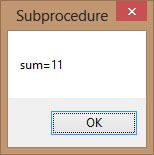
Figure 16.1: Output of the sum procedure
16.4 Example 16.2
Password Cracker Demonstration
This example demonstrates how a program can repeatedly generate possible passwords and compare them with the actual password. It uses a timer together with a sub procedure named generate().
The key idea is that the timer repeatedly calls the procedure. This makes it possible to perform the same task over and over without rewriting the logic each time.
In the original lesson, the timer interval is set to 100, which means 0.1 seconds. The timer is disabled at first and only starts after the user clicks the button.
The functions used include:
- Rnd() generates a random number between 0 and 1.
- Int(...) removes the decimal part and returns an integer.
- Timer1_Tick runs at the chosen interval while the timer is enabled.
16.4 Code
The Password Generator Program
Public Class Form1
    Dim password As Integer
    Dim crackpass As Integer

    Private Sub Button1_Click(sender As Object, e As EventArgs) Handles Button1.Click
        Timer1.Enabled = True
    End Sub

    Private Sub Timer1_Tick(sender As Object, e As EventArgs) Handles Timer1.Tick

        generate()

        If crackpass = password Then
            Timer1.Enabled = False
            Label1.Text = crackpass
            MsgBox("Password Cracked! Login Successful!")
        Else
            Label1.Text = crackpass
            Label2.Text = "Please wait..."
        End If

    End Sub

    Sub generate()
        crackpass = Int(Rnd() * 100) + 100
    End Sub

    Private Sub Form1_Load(sender As Object, e As EventArgs) Handles MyBase.Load
        password = 123
    End Sub
End Class
Here is how the program works:
- The real password is stored in the variable password.
- When the user clicks the button, the timer starts.
- Each timer tick calls the generate() procedure.
- The procedure creates a random three-digit number between 100 and 199.
- The generated value is compared with the actual password.
- If both match, the timer stops and the program displays a success message.
This example is a useful demonstration of how sub procedures can be called repeatedly to perform a specific task.
16.4 Output
Program Output
At first, the generated password values keep changing while the program searches. When the generated value matches the correct password, the timer stops and login is shown as successful.

Figure 16.2: Password generating phase
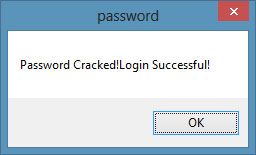
Figure 16.3: Message showing successful login
16.5 Why This Matters
Why Sub Procedures Are Important
Sub procedures are one of the most important tools for organizing code. They let you group actions into meaningful units, reduce repetition, and make your programs easier to understand and maintain.
Recommended Upgrade
Build on This Foundation
Continue to VB2026
After learning sub procedures in VB2015, move to the newest VB2026 tutorial for a more modern VB.NET learning path.

Visual Basic Programming
Use this Top Release book to reinforce your tutorial learning with a more structured guide.
Practice
Exercise Questions
- What is the difference between a sub procedure and a function in Visual Basic 2015?
- Why are parameters useful in sub procedures?
- Write a short sub procedure that accepts two numbers and displays their product in a message box.